First real tech blog post. This is a situation many of you have experienced in the last couple of years. You used to be able to connect to a server using RDP, in many cases a domain controller, but suddenly, that server can no longer be reached, but you did not change anything on the server.
This situation might also occur on other types of servers and for different protocols.
Most of the times, the server in question has recently restarted. This will probably be a rather small setup, as the cause of the issue is the unavailability of a domain controller at the moment the system starts up.
When a Windows systems starts up, it will try to detect the availability of a domain controller to determine which Windows firewall profile to use. When a domain controller cannot be found, it will most probably choose the public profile, which will normally not include all the firewall rules your configured. Typically RDP is only enabled on the domain profile, hence the issue with reaching the server using RDP.
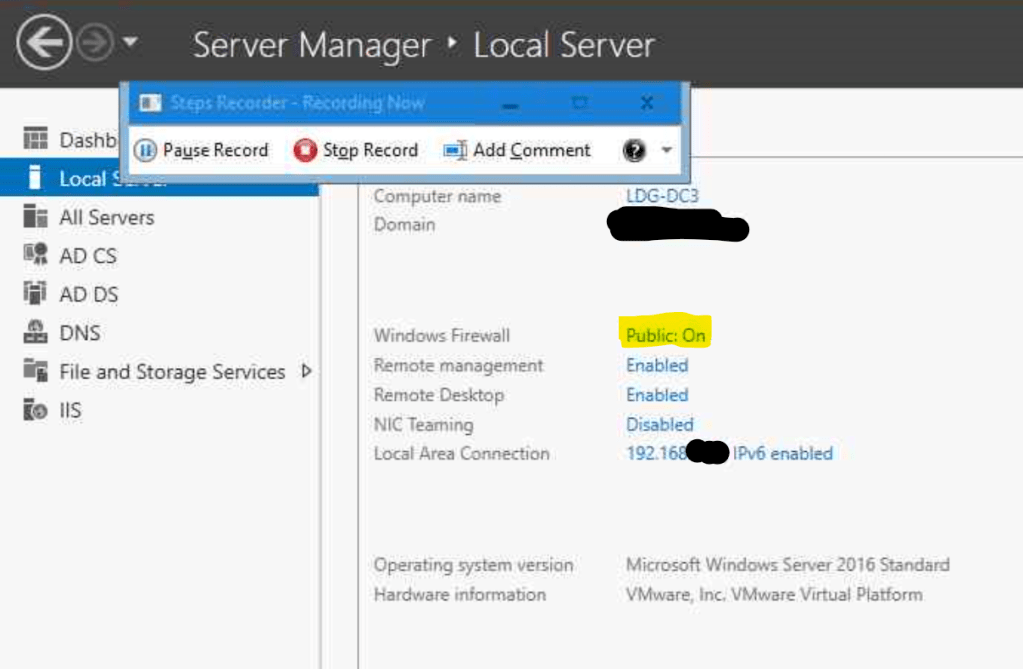
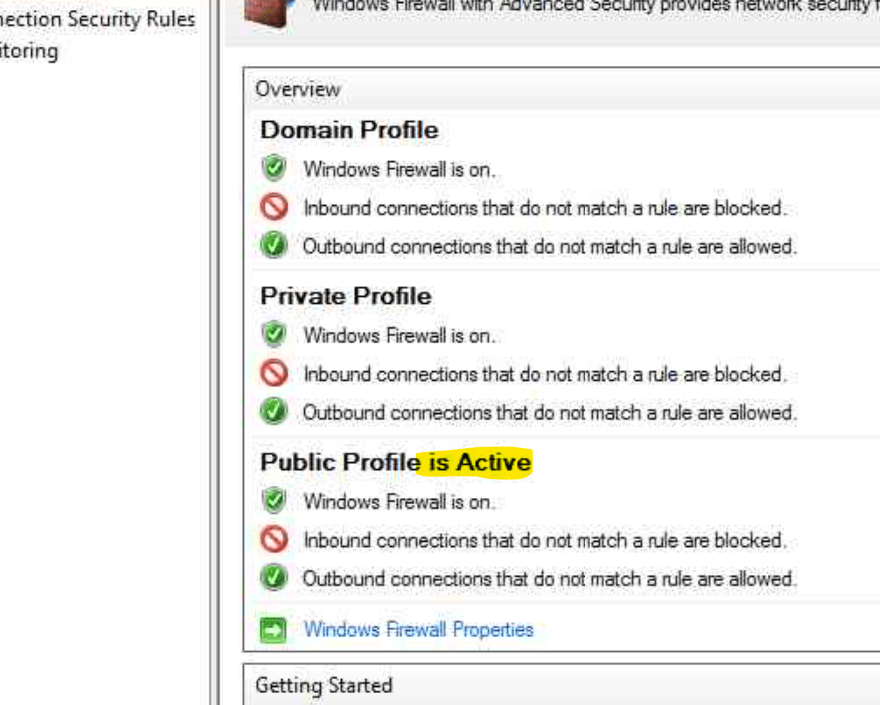
A little later, when the domain controller has been fully started, a different choice would have been made inside the election process, but this process only runs when starting Windows, or, when you restart the Network Location Awareness server.
That is the simple solution to this sometimes annoying issue, restart this service.
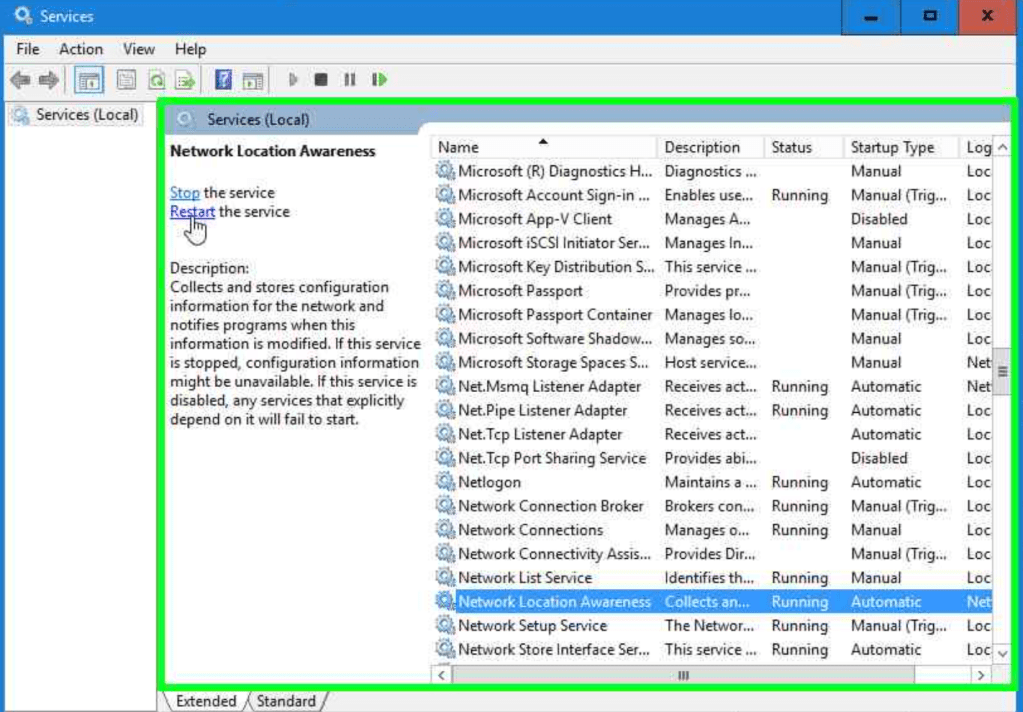
Directly the correct (domain) firewall profile will be selected and you server is reachable again.
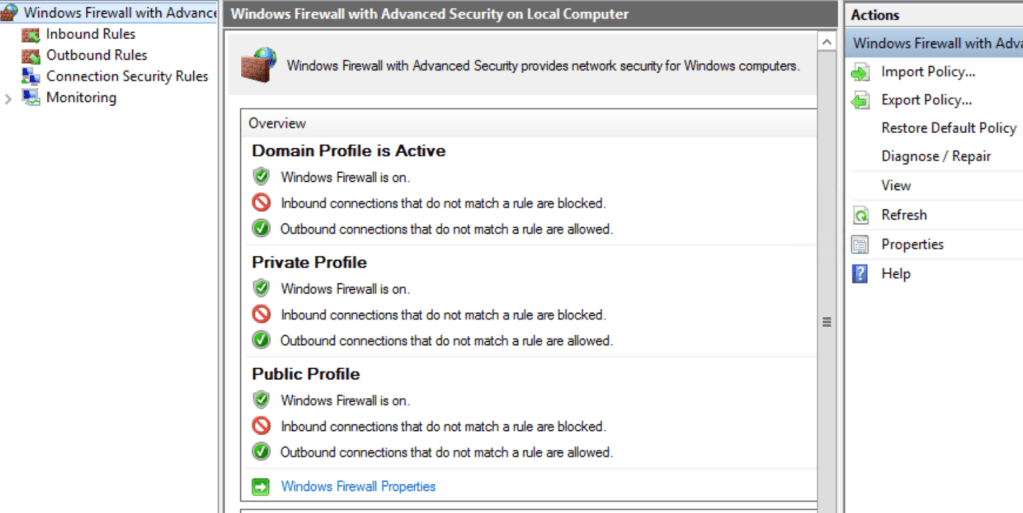
Why does this occur on domain controllers you might think? This is a combination of the timing of the location awareness process and the start-up of a domain controller. When no other domain controller is available, the local domain related services will in many cases start after the network location awareness service has been started.
This is also the reason a smaller environment is more likely to face this issue, for instance with only a single domain controller. It might also occur after a large power outage or fail-over/disaster recovery scenario, when all servers have been down or domain controllers have been unreachable at the computer’s boot time.
Because RDP access is not available until the network location awareness service has been restarted, you will need to find a way to restart this service either remotely, or using the server console. As most modern servers are virtualized, your hypervisor solution will be the first option to use console access. Depending on the firewall rules that are present in the public (or possible private) profile, you might also be able to restart the service using remote management tools or power shell
 Leo's blog